Published: August 2026 | Reading Time: 6 minutes
By Macdee Hlalele — Founder, ApplyOnlineSA
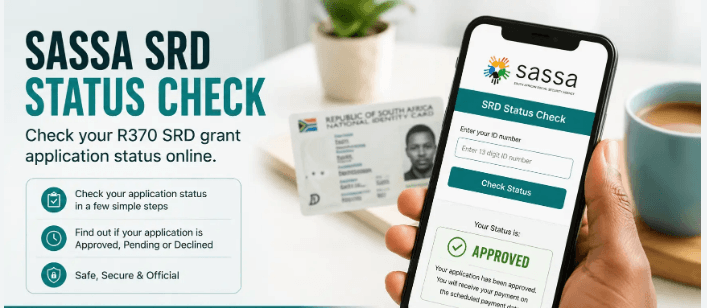
Is SASSA SRD status Incomplete your problem? — your application has NOT been submitted successfully. It means the system saved your details as a draft but could not move forward because something is missing.
The good news: it is fixable. And this guide shows you exactly how to fix it.
⚡ Quick Fix Checklist
Before reading further — log in right now and check these four things:
Go to srd.sassa.gov.za → Enter your ID and phone number → Enter OTP → Check your profile
- Are your bank details entered and verified?
- Is your declaration and consent ticked and signed?
- Is your biometric/identity verification completed?
- Are all screening questions answered fully?
If any of these are unchecked — that is your problem and this guide fixes it. 👇
What Does “Incomplete” Actually Mean?
When SASSA marks your SRD application as Incomplete it means:
“We have your basic details saved — but you did not finish the application. We cannot screen you for monthly payments until the missing steps are completed.”
Your application is stuck in a draft state. SASSA cannot process it, cannot approve it, and cannot pay you — until you go back and complete the missing information.
This is different from “Declined” — an Incomplete status means you still have a chance to fix it and get approved.
The 4 Main Reasons Your SRD Status is Incomplete
Reason 1 — Unlinked Payment Method 🏦
The most common cause. You submitted your application without adding bank details or selecting a payment method.
SASSA cannot pay you if they do not know where to send the money.
Accepted payment methods:
- South African bank account (any bank)
- Postbank account
- Cash Send
- Pick n Pay
- Shoprite/Checkers
- Boxer
How to fix:
- Log into srd.sassa.gov.za
- Enter your ID number and cellphone number
- Enter your OTP
- Find “Update Banking Details” or “Payment Method”
- Enter your bank name, account number, and account type
- Submit for verification
Important: The bank account must be registered in your own name — not a parent, sibling, or friend’s account. SASSA verifies this against your ID.
Reason 2 — Declaration and Consent Not Signed ✍️
During the application process, SASSA requires you to:
- Tick a declaration confirming your information is true and accurate
- Consent to SASSA verifying your details against other government databases (SARS, UIF, Home Affairs)
If you closed the browser, lost connection, or skipped this step — your application remains Incomplete.
How to fix:
- Log into srd.sassa.gov.za
- Navigate to your application
- Find the Declaration and Consent section
- Read the declaration carefully
- Tick the confirmation box
- Submit
Reason 3 — Failed or Pending Biometric Verification 📱
SASSA introduced biometric identity verification — a selfie-based facial recognition step — to combat fraud and identity theft.
If you:
- Did not receive or click the verification SMS link
- Did not complete the selfie/facial recognition step
- Had a technical error during verification
…your application will show Incomplete.
How to fix:
- Log into srd.sassa.gov.za
- Check for a pending verification notification
- Look for an SMS from SASSA with a verification link — check your inbox and deleted messages
- Click the link and complete the facial recognition step
- Make sure you are in good lighting and your face is clearly visible
- If the link has expired — contact SASSA to request a new verification link: 0800 232 324
Reason 4 — Missing Screening Questions ❓
SASSA’s application includes a lifestyle and employment declaration — questions about your:
- Employment status
- Income sources
- Other government grants or UIF received
- Household circumstances
If these questions were skipped or partially answered, the application cannot be screened for eligibility.
How to fix:
- Log into srd.sassa.gov.za
- Navigate to your application profile
- Find the incomplete screening questions section
- Answer every question honestly and completely
- Submit
Step-by-Step: How to Complete Your Incomplete SRD Application {#step1}
Step 1 — Log into the Official SRD Portal {#step1}
Go to srd.sassa.gov.za — the only official portal.
Enter your:
- 13-digit South African ID number
- Registered cellphone number
Click “Send OTP” and enter the One Time Pin sent to your phone.
Step 2 — Complete Missing Declarations and Questions {#step2}
Once logged in, navigate to your application profile. Look for any sections marked as incomplete, pending, or highlighted in red or orange.
Complete all outstanding:
- Employment status questions
- Income declaration
- Lifestyle sustainability questions
- Consent and declaration tick boxes
Answer every question honestly — SASSA verifies against SARS, UIF, and Home Affairs databases.
Step 3 — Update Banking or Payment Method Details {#step3}
Navigate to “How do I change my banking details” or “Payment Method” in your profile.
Provide:
- Bank name
- Account type (savings or current)
- Account number
The account must be:
- Active and in good standing
- Registered in your own name matching your ID
- A South African bank account
Submit for verification. SASSA typically verifies banking details within 1–5 business days.
Step 4 — Complete Biometric Verification (if required)
Check your SMS inbox for a biometric verification link from SASSA. If you find one:
- Open the link
- Allow camera access on your phone
- Follow the on-screen instructions for facial recognition
- Ensure good lighting and a clear, unobstructed view of your face
If no link exists — call SASSA on 0800 232 324 to request a new one.
Step 5 — Check Your Status After 24–48 Hours
After completing all missing steps, give SASSA 24 to 48 hours to update your status.
Log back into srd.sassa.gov.za and check:
- Incomplete → still missing something (review steps above)
- Pending → submitted and being processed ✅
- Approved → you qualify for payment ✅
- Declined → read our declined SRD guide →
Helpful Video Guide
For a visual walkthrough of how to check and resolve your SASSA SRD status, watch this step-by-step video:
📺 How to Check SASSA SRD Status — Video Guide →
What If Your Status Still Shows Incomplete After Fixing Everything?
If you have completed all steps but the status remains Incomplete after 48 hours:
Option 1 — Call SASSA SRD Helpline
📞 0800 232 324 (toll-free, Monday to Friday)
Explain that you have completed all required steps but your status still shows Incomplete.
Option 2 — Visit Your Nearest SASSA Office
Bring your original ID and explain the situation. SASSA officials can check your application on their system and identify any remaining issues.
Option 3 — WhatsApp ApplyOnlineSA
We help South Africans resolve SRD application issues daily.
WhatsApp Macdee →
SASSA Incomplete Status Scam Warning ⚠️
Scammers specifically target people with Incomplete or Declined statuses — offering to “fix” your application for a fee.
SASSA will NEVER:
- Charge you to complete or fix your application
- Ask for your banking PIN or OTP via WhatsApp
- Send you a link via SMS asking for payment
Fixing your Incomplete SRD status is completely free — you do it yourself at srd.sassa.gov.za
WhatsApp Macdee to verify any suspicious communication →
Frequently Asked Questions
How long does it take for my status to change from Incomplete after I fix it?
Usually 24 to 48 hours. In some cases up to 5 business days. Keep checking your status at srd.sassa.gov.za.
Will I get back-paid for the months I missed while my application was Incomplete?
No. Unlike an appeal for a Declined status, an Incomplete status means you were not in the monthly screening pipeline. Payments only begin once your application is fully completed and approved going forward.
My phone number has changed — can I still log in?
This is a bigger problem. Contact SASSA directly on 0800 232 324 to update your registered cellphone number before attempting to complete your application.
I cannot receive an OTP — what do I do?
Check that your phone has network signal and that your number is active. If the problem persists, visit your nearest SASSA office with your original ID.
Can I start a new application instead of fixing the Incomplete one?
Yes — but only if you have not already been approved or declined. A new application uses the same ID number, so any previous incomplete application should be resolved first. Contact SASSA for guidance.
Related Articles:
- How to Apply Online for the SASSA SRD Grant 2026 →
- Why Was My SRD Application Declined →
- How to Appeal a Declined SRD Application →
- SASSA SRD Payment Dates 2026 →
- The Complete Guide to SASSA Grants 2026 →
ApplyOnlineSA is independent and not affiliated with SASSA. All information is for guidance only. Always use the official portal srd.sassa.gov.za
Send Us a Message & Subscribe
Leave a note or feedback along with your email subscription!